Main Guide:How to Use Plaud Note as a Voice-First Workflow Hub for Digital Organization Related:Best In-Person Meeting Recorder: How to Build a Full AI Workflow with the Plaud Note
Plaud Note Review: How Accurate Transcription and AI Summary Turn a Recorder Into Your Executive Assistant
If you've ever walked out of a meeting only to realize your notes are incomplete, disorganized, or just plain wrong, you're not alone. The gap between what's said in a meeting and what ends up documented is one of the biggest productivity leaks in professional life. That's exactly the problem the Plaud Note was designed to solve — and based on real-world user feedback and hands-on experience, it does so remarkably well.
One verified user summed it up perfectly:
"Accurate transcripts and excellent summary of meetings. Mind Maps is a welcome bonus. Ability to create prompt-based templates turns this from a MOM tool into an Executive Assistant." — 5/5 Stars
In this comprehensive guide, we'll break down how the Plaud Note delivers on transcription accuracy, AI summary capabilities, and an app experience that goes far beyond simple meeting recording. We'll also walk you through practical tips for using it offline, best practices for getting the most from its features, and an honest pros-and-cons analysis.
best ai recording devices 2024
What Is the Plaud Note?
The Plaud Note is a slim, credit-card-sized AI-powered voice recorder designed for professionals, students, journalists, and anyone who needs reliable meeting recording without the friction of apps, cables, or complicated setups. It pairs with a companion smartphone app that uses large language models (LLMs) to generate transcripts, summaries, mind maps, and custom outputs from your recordings.
Unlike bulky dictaphones or phone-based recording apps that drain your battery, the Plaud Note is purpose-built for ambient context capture. It's discreet enough to attach to the back of your phone with a MagSafe-compatible mount and powerful enough to pick up voices clearly across a conference table.
plaud note vs otter ai comparison
Transcription Accuracy: The Foundation of Everything
Why Transcription Accuracy Matters More Than You Think
A voice recorder is only as useful as its transcription. If the text output is riddled with errors, you'll spend just as long correcting it as you would have spent taking manual notes. The Plaud Note leverages cloud-based AI models — including OpenAI's Whisper architecture — to deliver transcription accuracy that consistently impresses users.
The reviewer's emphasis on "accurate transcripts" isn't just a throwaway compliment. In professional settings, a single misheard word — a name, a dollar amount, a deadline — can derail follow-up actions. The Plaud Note handles multi-speaker environments, technical jargon, and even moderate background noise with a level of reliability that sets it apart from generic recording apps.
How to Maximize Transcription Accuracy
Even the best AI transcription engine benefits from good input. Here are practical tips:
-
Position the device centrally. If you're in a boardroom, place the Plaud Note in the center of the table rather than keeping it in your pocket. The dual-microphone array is designed for omnidirectional capture, but proximity to speakers always helps.
-
Use the dedicated recording modes. The Plaud Note offers distinct modes — one optimized for in-person meetings and another for phone calls. Selecting the right mode ensures the AI processing pipeline is tuned for the correct audio characteristics.
-
Minimize competing audio sources. Close windows facing busy streets, mute unnecessary notifications on laptops, and ask participants to avoid side conversations during key discussion points.
-
Speak at a natural pace. While the AI handles fast speech surprisingly well, clear enunciation improves results, especially for names and technical terms.
-
Review and train. The app allows you to correct transcription errors after processing. Over time, these corrections can help you identify patterns — for instance, if a colleague's name is consistently misspelled, you can add it to your mental checklist to verify.
how to improve ai transcription accuracy
AI Summary: From Raw Audio to Actionable Intelligence
How Plaud Note's AI Summary Works
Transcription gives you the raw text. The AI summary feature is where the Plaud Note transforms from a recorder into something approaching that "Executive Assistant" the reviewer described.
Once a recording is transcribed, the Plaud Note app processes the full text through an LLM to generate a structured summary. This isn't a simple extractive summary that pulls key sentences — it's an abstractive summary that synthesizes the conversation into coherent, readable paragraphs organized by topic, decision, and action item.
For a typical 60-minute meeting, you might get a 2-3 paragraph summary that captures:
- Key decisions made during the discussion
- Action items with implied ownership
- Open questions that need follow-up
- Context and rationale behind major points
Real-World Use Case: Weekly Team Standup
Imagine you run a 30-minute weekly standup with a cross-functional team. Each person gives updates, raises blockers, and requests support. Without the Plaud Note, you'd scramble to type while listening, inevitably missing nuance.
With the Plaud Note:
- Hit record at the start of the meeting.
- Participate fully — make eye contact, ask follow-up questions, actually lead the meeting.
- After the meeting, open the app and let the AI summary process the transcript.
- Share the summary in Slack or email within minutes.
The reviewer's observation about moving from a "MOM (Minutes of Meeting) tool" to an "Executive Assistant" resonates here. You're not just documenting — you're creating a system that thinks alongside you.
best practices for ai meeting notes
Mind Maps: A Welcome Bonus for Visual Thinkers
Turning Linear Conversations Into Visual Structures
One of the features that sets the Plaud Note apart from competitors is its Mind Map generation. After transcription and summarization, the app can automatically organize the conversation into a visual mind map, branching topics, sub-topics, and related points into a navigable diagram.
For professionals who think visually — product managers mapping feature discussions, consultants structuring client feedback, or students reviewing lecture material — this is genuinely useful. As the reviewer noted, it's a "welcome bonus" that adds unexpected value to the core meeting recording workflow.
How to Use Mind Maps Effectively
- Strategic planning sessions: Record a brainstorming meeting, then use the generated mind map as the starting point for a formal strategy document.
- Client discovery calls: Capture everything the client says, then review the mind map to identify themes you might have missed in real-time.
- Research interviews: Journalists and UX researchers can use mind maps to spot patterns across multiple recorded interviews.
Prompt-Based Templates: The Executive Assistant Feature
What Are Prompt-Based Templates?
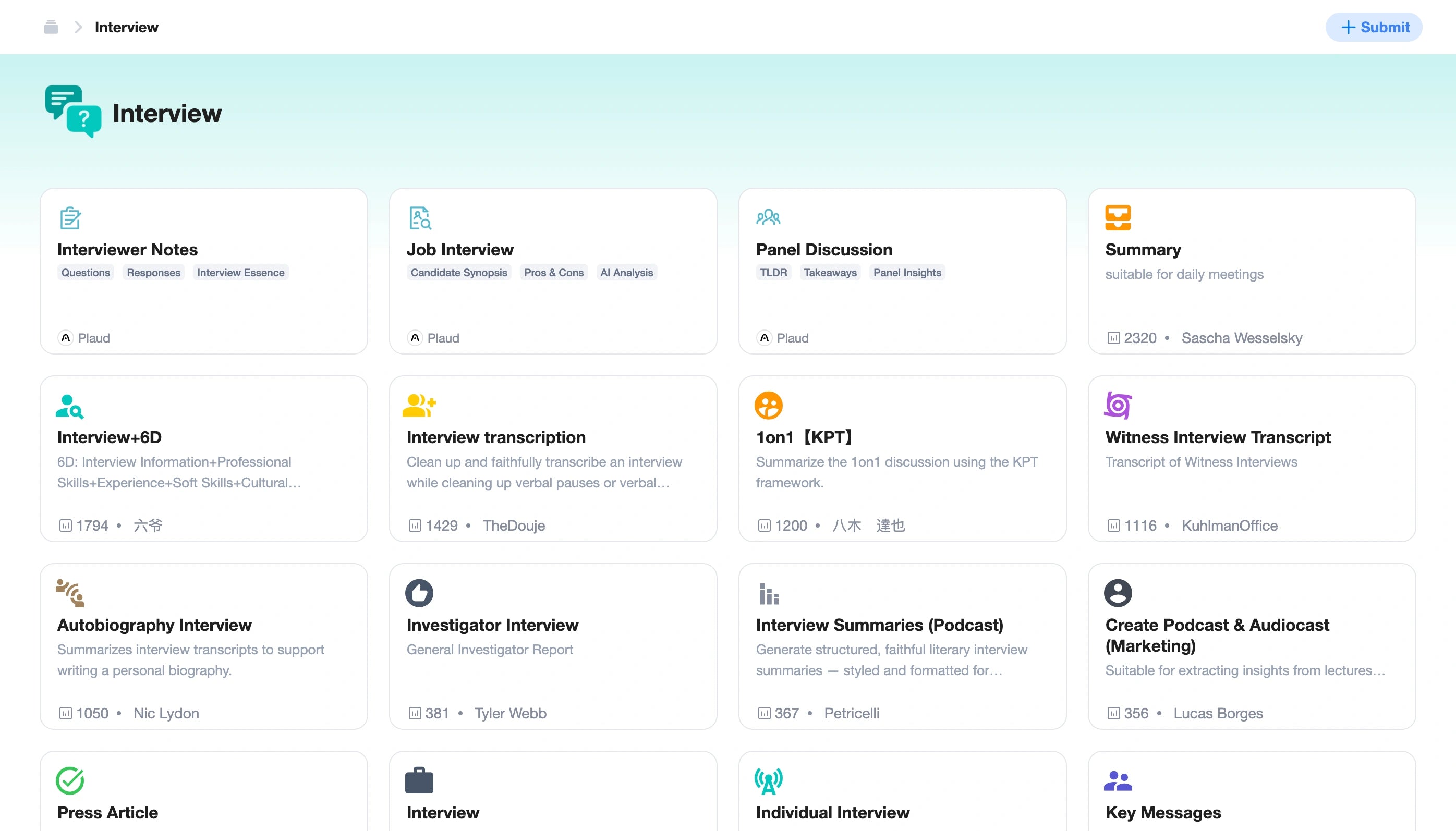
This is arguably the most underappreciated feature of the Plaud Note ecosystem, and the one that earned it that "Executive Assistant" comparison in the review.
Prompt-based templates allow you to define custom output formats for how the AI processes your transcripts. Instead of accepting a generic summary, you can instruct the AI to produce output tailored to your specific needs:
- Sales call template: Extract prospect pain points, objections raised, next steps agreed upon, and competitive mentions.
- Medical consultation template: Organize the recording into patient history, symptoms discussed, diagnosis considerations, and prescribed actions.
- Board meeting template: Separate strategic decisions from operational updates, flag items requiring board votes, and note dissenting opinions.
- 1-on-1 management template: Pull out career development topics, feedback given, commitments made by both parties.
How to Create Effective Custom Templates
- Start with your end deliverable. What document do you normally produce after this type of meeting? Work backward from that.
- Be specific in your prompts. Instead of "summarize the meeting," try "Extract all action items with the name of the person responsible and the agreed deadline."
- Iterate over time. Your first template won't be perfect. Refine the prompt language based on the output quality you observe over several recordings.
- Create templates for recurring meetings. If you have a weekly sync, a monthly review, and quarterly planning sessions, each deserves its own template.
This feature is what elevates the app experience from "nice transcription tool" to "indispensable professional infrastructure."
how to use ai templates for meeting notes
Using Plaud Note Offline: What You Need to Know
Since the Plaud Note is a physical device, recording always works offline. You don't need Wi-Fi or cellular data to capture audio. The device stores recordings in its internal memory (up to 64GB on some models), which is enough for dozens of hours of audio.
However, transcription and AI summary processing require an internet connection — the heavy LLM processing happens in the cloud. Here's a practical offline workflow:
- Record offline during your meeting, flight, or field interview.
- Sync later when you're back on Wi-Fi. Open the Plaud Note app and upload the recordings.
- Batch process multiple recordings at once — the app queues them and processes sequentially.
This makes the Plaud Note ideal for professionals who work in environments without reliable internet — construction sites, remote clinics, conference halls with overloaded Wi-Fi, or international travel. You capture now and process later without losing a word.
Tips for Offline Recording
- Check battery before long sessions. The Plaud Note gets approximately 30 hours of recording on a single charge, but it's good practice to verify before critical meetings.
- Label recordings mentally. Since you can't process them immediately, make a quick voice note at the beginning of each recording: "This is the project kickoff meeting with Acme Corp, January 15th." This makes batch processing easier later.
- Manage storage. If you're recording extensively offline, periodically check available storage through the app when you reconnect.
offline voice recorders with ai features
Pros and Cons: An Honest Assessment
Pros
- Exceptional transcription accuracy across multiple languages and accents
- AI summary quality that genuinely saves time and captures nuance
- Mind Maps add visual structure to linear conversations
- Prompt-based templates offer unprecedented customization for different meeting types
- Ultra-portable form factor — thin enough to forget it's there
- Offline recording capability with cloud processing when convenient
- Discreet design that doesn't make meeting participants self-conscious
- Long battery life suitable for all-day recording scenarios
Cons
- AI features require a subscription after the trial period, adding ongoing cost
- Cloud-dependent processing means no instant transcription without internet
- No real-time transcription during recordings (processing happens after)
- Speaker identification can occasionally confuse voices in large group settings
- Learning curve for prompt-based templates — getting the right prompt takes experimentation
- Premium pricing compared to basic voice recorders (though the AI features justify the cost for professionals)
Who Should Consider the Plaud Note?
The Plaud Note isn't for everyone, but it's exceptionally well-suited for:
- Managers and team leads who run multiple meetings daily and need reliable documentation
- Consultants and freelancers who bill based on detailed meeting outputs
- Sales professionals who need to capture prospect conversations verbatim
- Students handling lecture-heavy course loads
- Journalists and researchers conducting interviews in the field
- Executives who need polished meeting summaries without a human assistant
If you regularly find yourself thinking, "I wish I had a better record of what was said," this device was built for you.
who needs an ai voice recorder
Frequently Asked Questions
How accurate is the Plaud Note's transcription?
The Plaud Note delivers transcription accuracy rates that typically exceed 95% in clear audio conditions, on par with or better than leading software-only solutions like Otter.ai. Accuracy depends on audio quality, speaker clarity, and background noise, but users consistently report reliable results in professional meeting settings.
Can I use Plaud Note for meeting recording without Wi-Fi?
Yes. The Plaud Note records audio offline and stores it on the device. However, the AI summary, transcription, and mind map features require an internet connection for processing. You can record offline and sync later when Wi-Fi is available.
What makes Plaud Note's AI summary different from other tools?
The Plaud Note's AI summary goes beyond simple extraction. It uses large language models to generate abstractive summaries organized by decisions, action items, and key topics. The prompt-based template feature also allows you to customize output format — something most competitors don't offer.
Is the Plaud Note app experience user-friendly?
The app experience is clean and intuitive. Recordings sync automatically via Bluetooth, and processing is largely one-tap. The template creation feature has a slight learning curve, but the core workflow — record, transcribe, summarize — is straightforward enough for non-technical users.
How long does the Plaud Note battery last?
The Plaud Note offers approximately 30 hours of continuous recording on a single charge, making it suitable for multi-day use between charges. Standby time extends significantly beyond that.
Final Verdict: More Than a Recorder
The original reviewer nailed it: the Plaud Note's combination of accurate transcription, intelligent AI summary, visual mind maps, and customizable prompt-based templates genuinely transforms it from a simple meeting recording device into something that functions like a tireless executive assistant.
It's not perfect — the subscription model adds cost, and cloud dependency means you won't get instant results in offline scenarios. But for professionals who live and die by their meetings, the time savings and documentation quality are substantial.
The app experience ties it all together with a polished interface that makes the sophisticated AI features accessible to anyone, regardless of technical skill level.
If you're ready to stop losing critical meeting details and start turning every conversation into structured, actionable documentation, the Plaud Note is one of the most capable tools available today.
👉 Ready to turn your meetings into actionable intelligence? and experience the difference that professional-grade AI transcription and summarization can make in your workflow.
complete guide to ai-powered recording devices
This article is based on verified user reviews and hands-on analysis of the Plaud Note and its companion app. Product features and pricing may vary. Last updated 2024.
{
  "@type": "Article",
  "headline": "Plaud Note Review: How Accurate Transcription and AI Summary Turn a Recorder Into Your Executive Assistant",
  "description": "Comprehensive review of Plaud Note's transcription accuracy, AI summary, mind maps, and prompt-based templates for meeting recording professionals.",
  "author": {
    "@type": "Organization",
    "name": "[Site Name]"
  },
  "datePublished": "2024-01-15",
  "dateModified": "2024-01-15",
  "publisher": {
    "@type": "Organization",
    "name": "[Site Name]",
    "logo": {
      "@type": "ImageObject",
      "url": "[Logo URL]"
    }
  },
  "mainEntityOfPage": {
    "@type": "WebPage",
    "@id": "[Article URL]"
  },
  "about": {
    "@type": "Product",
    "name": "Plaud Note",
    "category": "AI Voice Recorder",
    "review": {
      "@type": "Review",
      "reviewRating": {
        "@type": "Rating",
        "ratingValue": "5",
        "bestRating": "5"
      },
      "reviewBody": "Accurate transcripts and excellent summary of meetings. Mind Maps is a welcome bonus. Ability to create prompt based templates turns this from a MOM tool into an Executive Assistant."
    }
  }
}
Further Reading: