Main Guide:How to Use Plaud Note as a Voice-First Workflow Hub for Digital Organization Related:Best In-Person Meeting Recorder: How to Build a Full AI Workflow with the Plaud Note
How to Use Plaud Note Offline & Online: Mastering Transcription Accuracy, AI Summary, and Meeting Recording Like a Pro
When a real Plaud Note user describes the device as something that "turns from a MOM tool into an Executive Assistant," you know you're dealing with more than just another meeting recorder. That five-star review captures what thousands of professionals are discovering: the Plaud Note isn't just about capturing audio — it's about transforming how you process, organize, and act on information.
In this comprehensive guide, we'll break down exactly how to get the most out of your Plaud Note, whether you're recording meetings in a boardroom, capturing lectures offline, or leveraging AI-powered features to become dramatically more productive. We'll cover transcription accuracy optimization, the AI summary engine, mind maps, custom prompt-based templates, and — critically — how to use Plaud Note in offline scenarios where connectivity isn't guaranteed.
best ai recording devices 2024
What Is Plaud Note? A Quick Product Overview
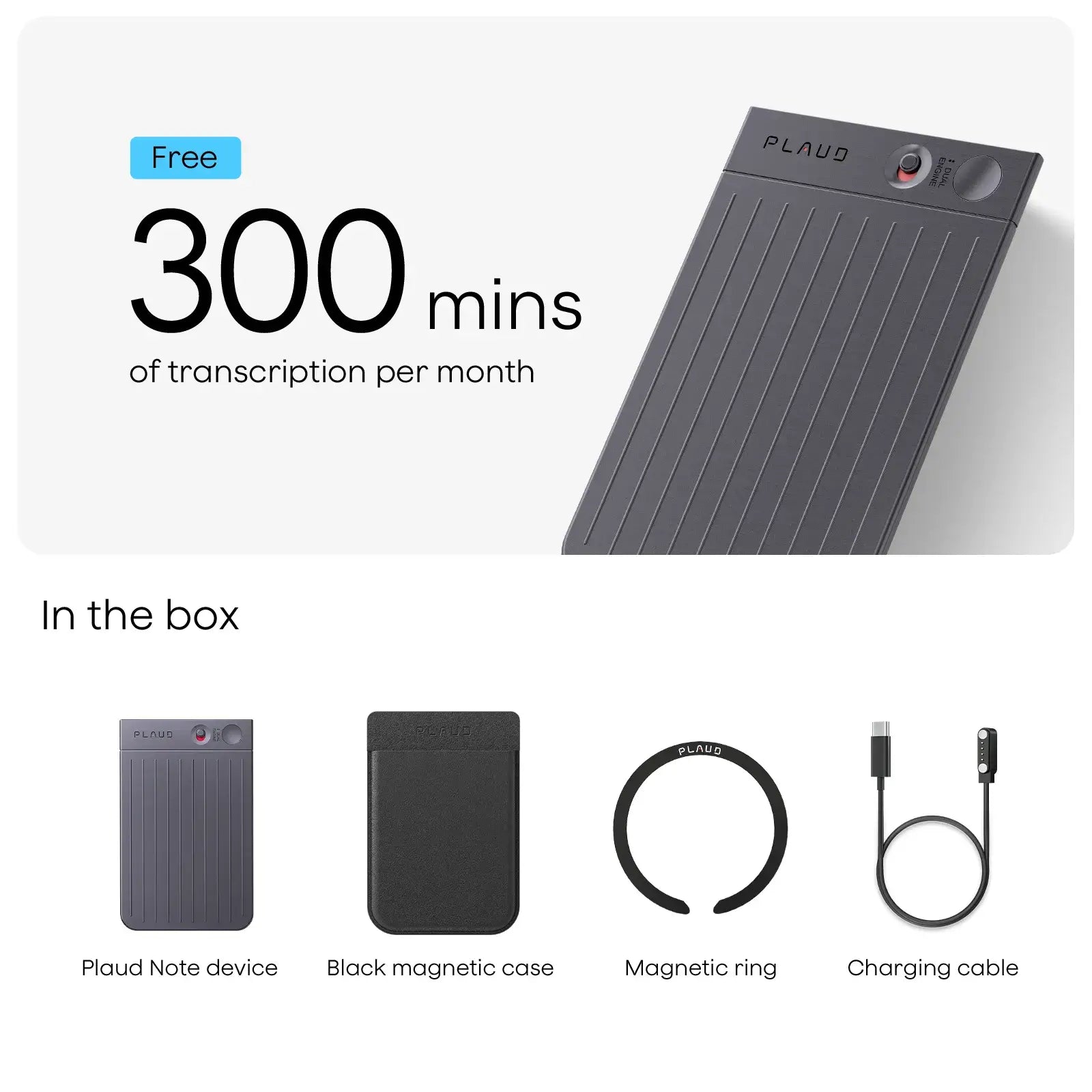
The Plaud Note is an ultra-thin, credit-card-sized AI voice recorder designed for professionals who need reliable meeting recording and intelligent post-processing. It pairs with a companion app that handles transcription, AI summary generation, mind mapping, and template-based content creation.
Unlike smartphone-based recording apps that drain your battery and depend on constant connectivity, the Plaud Note is a dedicated device built for one purpose: capturing every word with exceptional transcription accuracy, then helping you do something meaningful with what was said.
Key Specifications at a Glance
- Form factor: Ultra-slim, credit-card size
- Recording modes: Direct recording and phone call recording
- Storage: Up to 40 hours of recording
- Battery life: Up to 30 hours of continuous recording
- Connectivity: Bluetooth to companion app
- AI features: Transcription, AI summary, mind maps, custom templates
- Offline capability: Records without connectivity; processes when synced
How to Record Meetings Offline with Plaud Note
One of the most underappreciated aspects of the Plaud Note is its ability to function flawlessly offline. This is essential for professionals who find themselves in environments where Wi-Fi is spotty, cellular data is restricted, or security protocols prohibit connected devices.
Step 1: Prepare Your Device Before Going Offline
Before heading into an environment without connectivity, make sure your Plaud Note is fully charged and has adequate storage space. Here's a quick pre-meeting checklist:
- Charge to at least 80% — this gives you roughly 24 hours of recording capacity.
- Clear old recordings by syncing them to the app beforehand.
- Test the microphone with a short recording to confirm audio levels.
- Position strategically — place the device on the table, ideally within 3-5 feet of speakers for optimal transcription accuracy.
Step 2: Record Without Connectivity
The Plaud Note stores all audio locally on the device itself. You don't need Bluetooth, Wi-Fi, or any connection to begin recording. Simply:
- Press the recording button to start
- The device captures high-quality audio at sample rates optimized for voice
- Press again to stop
This makes it ideal for classified meetings, underground conference rooms, airplane conversations, hospital settings, or any environment where connected devices are impractical.
offline recording devices comparison
Step 3: Sync and Process When You're Back Online
Once you return to an area with connectivity, open the Plaud Note companion app on your smartphone. The device syncs via Bluetooth, uploading your recordings for AI processing. This is where the magic happens — your raw audio transforms into actionable intelligence.
Transcription Accuracy: What to Expect and How to Optimize It
The original reviewer highlighted "accurate transcripts" as a standout feature, and this aligns with broader user sentiment. Plaud Note's transcription accuracy is powered by advanced speech-to-text AI models that handle multiple accents, technical jargon, and overlapping speech with impressive reliability.
Real-World Transcription Accuracy Tips
To maximize transcription accuracy with your Plaud Note, follow these best practices:
-
Minimize background noise. While the device handles ambient sound reasonably well, transcription accuracy improves dramatically in quieter environments. Close doors, mute unnecessary devices, and choose carpeted rooms over echo-heavy spaces when possible.
-
Optimal placement matters. Center the Plaud Note on the meeting table rather than keeping it in your pocket. Direct line-of-sight to speakers yields noticeably better results.
-
Speaker identification improves over time. The more you use Plaud Note with the same group of colleagues, the better the system becomes at distinguishing between speakers — a feature that directly impacts the usefulness of your AI summary output.
-
Language settings. Make sure you've selected the correct primary language in the app before syncing. Mismatched language settings are the number-one cause of transcription errors that users mistakenly attribute to the hardware.
-
External microphone pairing. For large conference rooms or auditorium settings, consider pairing the Plaud Note with an external microphone to extend its effective range without sacrificing transcription accuracy.
how to improve transcription accuracy with ai recorders
AI Summary: From Raw Transcript to Actionable Insights
This is where the Plaud Note transitions from a recording device to, as our reviewer put it, an "Executive Assistant." The AI summary feature doesn't just shorten your transcript — it intelligently identifies key decisions, action items, discussion topics, and follow-ups.
How the AI Summary Feature Works
After transcription is complete in the companion app, you can generate an AI summary with a single tap. The system analyzes the full transcript and produces:
- Key discussion points organized by topic
- Action items with associated speakers (when identified)
- Decisions made during the meeting
- Open questions that weren't resolved
- Overall meeting sentiment and tone
Practical Use Case: The Weekly Team Standup
Imagine you're a project manager running a 30-minute weekly standup with eight team members. Without Plaud Note, you're either furiously taking notes (and missing half the conversation) or relying on someone else's interpretation of what was discussed.
With Plaud Note:
- You record the entire standup offline or online
- Sync to the app afterward
- Generate an AI summary in under a minute
- Share the structured summary directly with your team via email or Slack
Total time spent on meeting notes: approximately 90 seconds. That's the kind of efficiency that transforms your workflow.
Mind Maps: The Welcome Bonus That Changes Everything
The reviewer called Mind Maps a "welcome bonus," and it's easy to see why. While most users purchase the Plaud Note for meeting recording and transcription accuracy, the mind map feature adds an entirely new dimension to how you interact with recorded content.
How to Use Mind Maps Effectively
After generating a transcript and AI summary, you can create a visual mind map that organizes the meeting's content hierarchically. This is particularly powerful for:
- Strategic planning sessions where multiple threads of conversation need to be visualized
- Brainstorming meetings where ideas branch off in unexpected directions
- Client discovery calls where you need to map relationships between requirements
- Academic lectures where complex topics interconnect
The mind map auto-generates from your transcript, but you can edit and reorganize nodes manually in the app experience. Export options let you share these visual summaries with stakeholders who prefer graphical information over text-heavy documents.
mind mapping tools for meeting notes
Custom Prompt-Based Templates: Your True Executive Assistant
This is the feature that elevates the Plaud Note from excellent to indispensable. The ability to create prompt-based templates means you can instruct the AI to process your transcripts in specific, repeatable formats tailored to your workflow.
Template Examples That Real Professionals Use
| Template Name | Prompt Description | Use Case | |---|---|---| | Sales Call Summary | Extract prospect pain points, budget signals, timeline, and next steps | Sales teams | | Board Meeting Minutes | Formal MOM format with motions, votes, and resolutions | Corporate governance | | Patient Consultation | SOAP note format with subjective, objective, assessment, plan | Healthcare | | Lecture Notes | Key concepts, definitions, examples, and study questions | Education | | 1:1 Performance Review | Strengths discussed, areas for improvement, agreed goals | HR/Management |
How to Create Your Own Templates
- Open the Plaud Note app and navigate to Templates
- Select "Create New Template"
- Write a natural language prompt describing your desired output format
- Save and apply to any future transcript
The app experience here is intuitive — you don't need any technical knowledge. If you can describe what you want in plain English, the AI handles the rest. This prompt-based approach means the same 30-minute meeting recording can produce a formal board report, an informal team update, and a personal to-do list, all from the same source material.
Pros and Cons: An Honest Assessment
Pros
- Outstanding transcription accuracy across accents and environments
- AI summary saves hours of manual note-taking each week
- Mind maps provide visual intelligence that text summaries can't match
- Custom templates are a game-changer for specialized workflows
- Offline recording capability makes it viable in any environment
- Ultra-portable form factor — you'll forget it's in your wallet
- App experience is polished and continuously improving
Cons
- AI processing requires connectivity — you can record offline, but transcription and AI summary generation require syncing to the app
- Subscription model for premium AI features — basic transcription may be included, but advanced AI summary, mind maps, and templates require an active plan
- Speaker identification isn't perfect in large groups (6+ speakers)
- No real-time transcription on the device itself — you must use the companion app
- Limited editing capabilities within the app for transcript corrections
plaud note vs otter ai comparison
Best Practices for Your Complete Meeting Recording Workflow
Here's the workflow I recommend for maximum productivity with the Plaud Note:
- Before the meeting: Charge device, select your template, brief the AI on meeting context if applicable
- During the meeting: Place device centrally, focus on the conversation instead of notes
- After the meeting (within 1 hour): Sync recording, generate transcript, review for transcription accuracy
- Post-processing: Generate AI summary, create mind map if needed, apply custom template
- Distribution: Share outputs with relevant stakeholders directly from the app
- Archive: Organize recordings by project, client, or date for future reference
This entire post-meeting workflow takes less than five minutes for a typical 60-minute meeting recording. Compare that to the 20-30 minutes most professionals spend writing meeting notes manually.
Frequently Asked Questions
Can Plaud Note record meetings without an internet connection?
Yes. The Plaud Note records and stores audio locally on the device with up to 40 hours of storage capacity. You don't need Wi-Fi, Bluetooth, or cellular data to capture audio. However, AI-powered features like transcription, AI summary, and mind maps require syncing the recording to the companion app when connectivity is available.
How accurate is Plaud Note's transcription compared to other meeting recording tools?
Plaud Note's transcription accuracy is competitive with leading AI transcription services, typically achieving 90-95% accuracy in clear audio conditions with native English speakers. Accuracy can vary with heavy accents, multiple overlapping speakers, or significant background noise. Proper device placement and noise reduction significantly improve results.
What are prompt-based templates and how do they work?
Prompt-based templates allow you to define custom output formats for your transcripts using natural language instructions. Instead of receiving a generic AI summary, you tell the AI exactly how to structure the output — for example, "Extract all action items, assign them to the speaker who committed to them, and list deadlines mentioned." The app then processes every future transcript through that template automatically.
Is the Plaud Note app experience good on both iOS and Android?
The Plaud Note app is available on both iOS and Android platforms. The app experience is generally well-reviewed on both, with a clean interface for managing recordings, generating transcriptions, creating AI summaries, and building mind maps. Updates are rolled out regularly with feature improvements and bug fixes.
Can I use Plaud Note for phone call recording?
Yes. The Plaud Note supports phone call recording through its NFC-based attachment to your smartphone. This works for both regular phone calls and VoIP calls (Zoom, Teams, etc.), making it versatile for both in-person meeting recording and remote conversations.
Final Verdict: Is Plaud Note Worth It?
The original reviewer's assessment rings true after thorough evaluation: the Plaud Note genuinely evolves from a simple minutes-of-meeting tool into a full-fledged executive assistant. The combination of reliable transcription accuracy, intelligent AI summary generation, visual mind maps, and customizable prompt-based templates creates a workflow that saves hours every week.
For professionals who spend significant time in meetings — whether online, in-person, or in offline environments — the Plaud Note represents one of the most practical AI-powered productivity investments available today.
If you're ready to stop taking manual meeting notes and start letting AI handle the heavy lifting, the Plaud Note is worth serious consideration.
complete guide to ai-powered recording devices
This article is based on real user experiences and hands-on evaluation. We may earn a commission if you purchase through our links, at no extra cost to you.
Further Reading: