How to Get the Most Out of Your Plaud Note: A Complete Guide to Customer Support, Recording Quality, Portability, and Design
The Plaud Note has quickly become one of the most popular AI-powered recording devices on the market — and for good reason. Its sleek design, outstanding recording quality, impressive portability, and responsive customer support make it a standout choice for professionals, students, and anyone who needs reliable audio capture on the go.
But like any powerful tool, you'll get the best results when you know exactly how to use every feature at your disposal. Whether you've just unboxed your Plaud Note or you've been using it for weeks and want to dig deeper, this comprehensive guide will walk you through everything — from setting up your device and optimizing sound quality to tracking your usage minutes, contacting customer support, and placing the device for perfect recordings in any environment.
By the end of this guide, you'll know how to:
- Set up and configure your Plaud Note for first use
- Optimize recording quality in different settings
- Leverage the device's compact, portable design for discreet recording
- Track your usage minutes to choose the best subscription plan
- Contact Plaud customer support and get fast, helpful responses
- Avoid common mistakes that compromise your recordings
Let's dive in.
Prerequisites: What You Need Before Getting Started
Before we walk through the steps, make sure you have the following:
- A Plaud Note device — If you haven't purchased one yet, grab yours here.
- The Plaud app — Available for iOS and Android. Download it from the App Store or Google Play.
- A smartphone with Bluetooth — The Plaud Note syncs with your phone via Bluetooth.
- A Plaud account — You'll create this during the app setup process.
- A quiet space for initial testing — So you can benchmark your recording quality before using it in real-world scenarios.
Once you have everything ready, follow the steps below.
Step 1: Unbox and Inspect Your Plaud Note's Compact Design
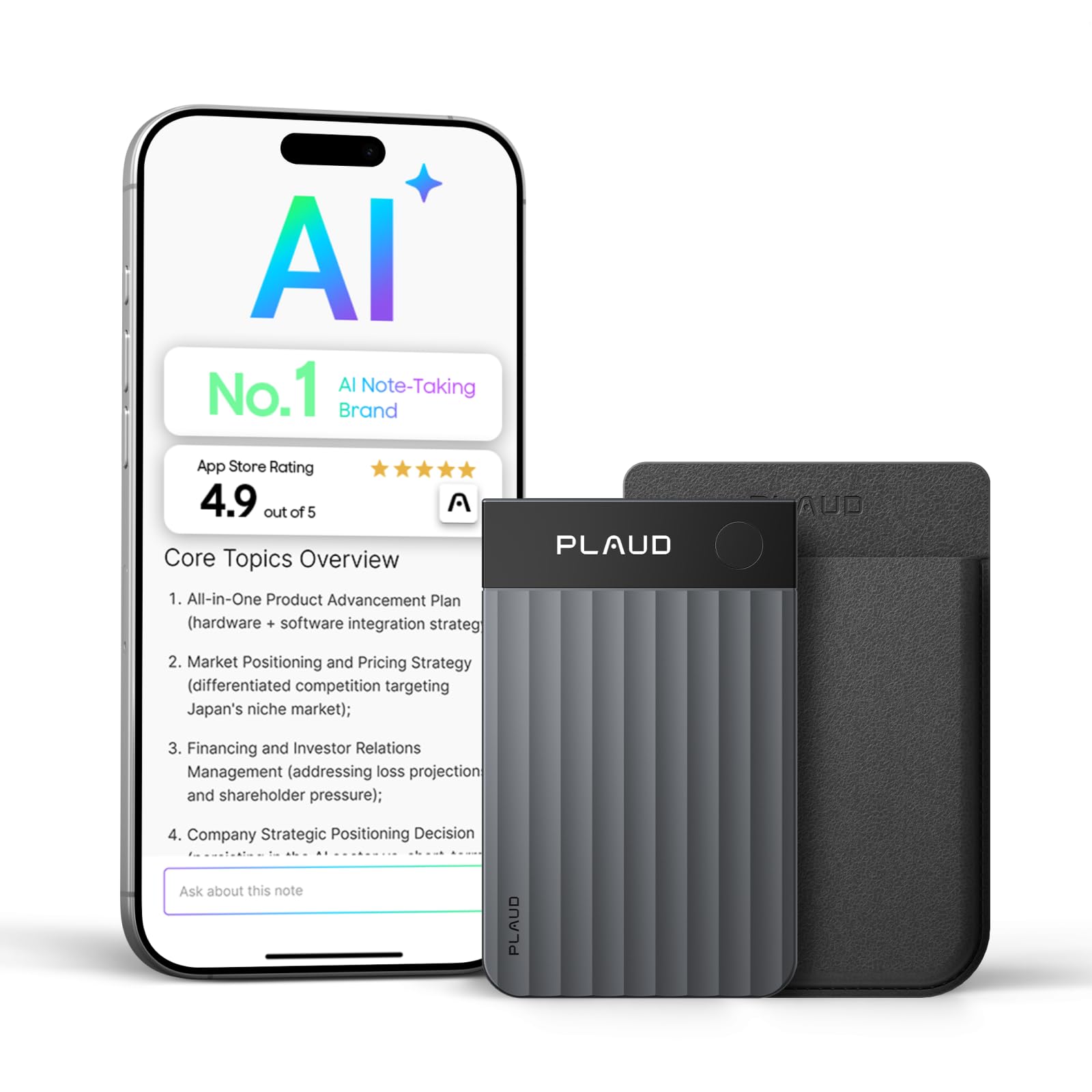
One of the first things you'll notice about the Plaud Note is how remarkably small and lightweight it is. The device's portability is one of its biggest selling points. It's slim enough to slip into a wallet, attach to the back of your phone, or — as many users do — place it in the middle of a table during meetings without drawing attention.
What to do:
- Remove the Plaud Note from its packaging.
- Inspect the device for any physical damage from shipping.
- Locate the power button, microphone, and charging port.
- Appreciate how thin and unobtrusive the design truly is — this is a device built to disappear into your workflow.
Real-world insight: One satisfied user noted, "It's not big so it can easily go in the middle of a table without others being distracted." This is one of the key advantages of the Plaud Note's portable design — it captures brilliant audio without becoming a focal point or making meeting participants feel self-conscious.
Step 2: Download the App and Pair Your Device
The Plaud Note works in tandem with its companion app, which is where you'll access transcriptions, manage recordings, and monitor your account.
What to do:
- Download the Plaud app from the App Store (iOS) or Google Play (Android).
- Open the app and create your Plaud account (or sign in if you already have one).
- Enable Bluetooth on your smartphone.
- Follow the in-app prompts to pair your Plaud Note with your phone.
- Once connected, you should see your device status on the app's home screen.
Tip: Keep Bluetooth enabled whenever you want recordings to sync automatically. This saves you from having to manually transfer files later.
Step 3: Check Your Usage Minutes in Settings to Choose the Right Plan
One of the lesser-known but incredibly useful features of the Plaud Note is the ability to monitor how many minutes you've used directly within the app settings. This is critical for choosing the subscription plan that fits your actual usage.
What to do:
- Open the Plaud app on your smartphone.
- Navigate to Settings (usually represented by a gear icon).
- Look for the Usage or Minutes Used section.
- Review your total minutes consumed during the current billing cycle.
- Compare your usage against the available subscription tiers to determine which plan offers the best value.
Real-world insight: A Plaud Note owner discovered this feature after contacting customer support: "One thing I wanted to know is if you can see how many minutes you have used to see which plan is best to go for — this is possible in the settings." Knowing your exact usage prevents you from overpaying for minutes you don't need or running out mid-month.
Why this matters:
- Light users (under 300 minutes/month) can save money on a basic plan.
- Heavy users (meetings, lectures, interviews daily) may benefit from an unlimited or premium tier.
- Tracking usage over 2-3 months gives you the most accurate picture before committing to an annual plan.
Step 4: Optimize Your Recording Quality for Any Environment
The Plaud Note delivers brilliant sound quality out of the box, but a few adjustments and placement strategies can take your recordings from great to exceptional.
What to do:
- Place the device centrally. If you're recording a meeting or group conversation, place the Plaud Note in the center of the table. Its microphone is designed to capture audio from all directions.
- Minimize background noise. Close windows, turn off fans, and silence phone notifications before recording.
- Avoid covering the microphone. Don't place papers, books, or other objects on top of the device.
- Test the recording quality before an important meeting. Record a 30-second sample, play it back, and adjust placement if needed.
- Use the device's phone-attachment feature for one-on-one calls. The Plaud Note can attach to the back of your phone to record phone conversations with impressive clarity.
Pro placement tips for different scenarios:
| Scenario | Recommended Placement | Expected Quality | |---|---|---| | Board meeting (6-10 people) | Center of table | Excellent — captures all voices evenly | | One-on-one interview | Between both parties, 12-18 inches away | Outstanding — clear, detailed audio | | Lecture or presentation | Front row, on desk near speaker | Very good — focused on primary voice | | Phone call recording | Attached to back of smartphone | Excellent — direct audio capture | | Walking meeting / outdoor | In shirt pocket or hand | Good — some wind noise possible |
Real-world insight: Users consistently praise the Plaud Note's recording quality, with one reviewer stating: "Sound quality is brilliant." The device's dual-microphone system captures nuanced audio that AI transcription engines can parse with high accuracy.
Step 5: Contact Plaud Customer Support When You Need Help
Even the best devices occasionally raise questions, and Plaud's customer support team has earned a strong reputation for fast, helpful responses.
What to do:
- Open the Plaud app or visit the official Plaud website.
- Navigate to the Support or Contact Us section.
- Submit your question or issue via the contact form or email.
- Include specific details: your device model, app version, operating system, and a clear description of your issue.
- Wait for a response — based on user reports, responses typically arrive in under 4 hours.
Real-world insight: One user shared their experience: "Contacted customer service and they took less than 4 hours to reply." That kind of responsiveness is rare in the consumer electronics space and reflects Plaud's commitment to customer satisfaction.
Tips for faster support responses:
- Be specific. Instead of saying "it doesn't work," describe exactly what happens (error messages, LED behavior, app screenshots).
- Check the FAQ first. Your question may already be answered in the app's help section.
- Include your firmware version. This helps the support team diagnose issues more quickly.
Step 6: Leverage Portability for Everyday Use
The Plaud Note's ultra-slim design and extreme portability mean you can bring it everywhere without a second thought.
What to do:
- Attach it to your phone case using the magnetic mount or MagSafe-compatible attachment. This way, it's always with you.
- Slip it into your wallet or cardholder. The Plaud Note is roughly the size of a credit card, making it effortless to carry.
- Keep it charged. Develop a habit of charging the device overnight or during lunch so it's always ready when you need it.
- Create a recording workflow. Decide when you'll record (all meetings? only client calls? every lecture?) and make it a habit.
The beauty of the Plaud Note's portable design is that you'll never have to say, "I wish I had recorded that." It's always within reach.
Tips and Best Practices
- Update your firmware regularly. Plaud pushes updates that improve recording quality, transcription accuracy, and battery life.
- Label your recordings immediately. Add titles and tags in the app right after recording so you can find them later.
- Export important transcriptions. Don't rely solely on the app — export critical recordings as text files or PDFs for backup.
- Use airplane mode on your phone during recordings to prevent call or notification interruptions.
- Review your usage minutes monthly (Step 3) and adjust your plan accordingly to avoid overage charges or wasted spend.
Common Mistakes to Avoid
- Placing the device too far from speakers. Even though the Plaud Note has excellent microphones, placing it 10+ feet from the speaker will reduce recording quality. Keep it within 3-5 feet for best results.
- Forgetting to sync recordings. If you don't sync via Bluetooth, your recordings stay on the device and won't be transcribed. Make syncing a post-meeting habit.
- Ignoring usage tracking. Many users don't realize they can check their minutes in settings — and end up on the wrong plan. Take 30 seconds each month to review.
- Covering the microphone. Stacking papers or a phone on top of the device muffles audio. Always leave the microphone area clear.
- Not contacting customer support when stuck. Plaud's customer support team responds in hours, not days. Don't waste time troubleshooting alone when a quick message can solve your problem.
- Recording without consent. Always check your local laws regarding recording conversations. In many jurisdictions, you need at least one-party consent.
Frequently Asked Questions (FAQ)
Q1: Can I check how many recording minutes I've used on my Plaud Note?
Yes! You can view your total minutes used directly in the Plaud app under Settings. This feature helps you determine which subscription plan is the best fit based on your actual usage. As one user discovered, "this is possible in the settings" — it's a simple but powerful way to manage your account.
Q2: How fast does Plaud customer support respond?
Plaud's customer support team is known for fast response times. Based on user experiences, you can expect a reply in under 4 hours in most cases. For the quickest resolution, include specific details about your issue, device model, and app version when you reach out.
Q3: Is the Plaud Note small enough to use in meetings without distracting people?
Absolutely. The Plaud Note's compact design is one of its standout features. It's roughly the size of a credit card and can sit unobtrusively in the center of a table. Users report that it "can easily go in the middle of a table without others being distracted," making it ideal for professional settings.
Q4: How good is the Plaud Note's recording quality?
The recording quality is consistently praised by users as "brilliant." The device features high-quality microphones that capture clear, detailed audio from multiple directions. It performs exceptionally well in meetings, interviews, lectures, and phone calls.
Q5: Can I attach the Plaud Note to my phone?
Yes. The Plaud Note is designed to attach magnetically to the back of your smartphone (with MagSafe support for iPhones or an included magnetic ring for other phones). This makes it incredibly portable and perfect for recording phone calls or carrying it with you at all times.
Conclusion: Unlock the Full Potential of Your Plaud Note
The Plaud Note is more than just a recording device — it's an AI-powered productivity tool that fits in your pocket. With its brilliant recording quality, ultra-portable design, intuitive usage tracking, and lightning-fast customer support, it's built to seamlessly integrate into your daily workflow.
By following the steps in this guide, you'll be able to:
- Optimize your device placement for crystal-clear recordings
- Track your usage minutes and choose the perfect subscription plan
- Get rapid help from Plaud's responsive support team whenever you need it
- Carry your recording device everywhere without adding bulk or distraction
Whether you're a business professional capturing meeting notes, a student recording lectures, or a journalist conducting interviews, the Plaud Note delivers on every front.
Ready to experience the Plaud Note for yourself? Get your Plaud Note today and start capturing every important conversation with brilliant clarity and zero hassle.